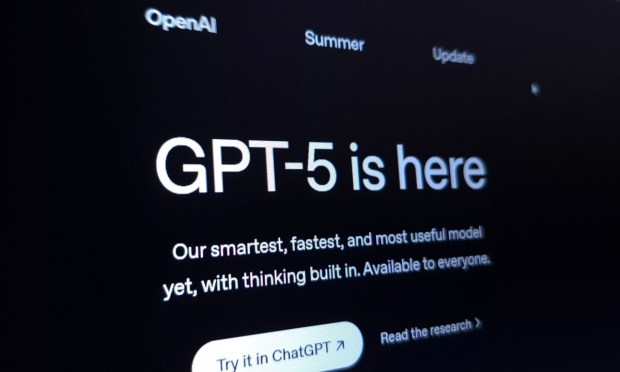
As the artificial intelligence (AI) startup’s latest model, GPT-5 underpins ChatGPT, which is the chat interface that sits atop the large language model to make it more user friendly. Most people using ChatGPT would only be exposed to GPT-5 because it is the default model for the free tier. Only paying subscribers get a choice of using older models.
GPT-5 is OpenAI’s most advanced model for agentic AI, the startup said. Tech companies like OpenAI have been driving the agentic AI revolution, according to an August 2025 PYMNTS Intelligence report. An accelerating cycle of innovation may soon arrive as more powerful models lead to powerful apps to drive model advances and app capabilities.
While OpenAI has billed GPT-5 as “smarter across the board,” a model’s intelligence is just one part of getting the best results from an AI chatbot. A lot of it depends on the quality of the prompt as well.
Think of a prompt as less like giving orders to a machine and more like managing a sharp but flexible team member: Set the scope, decide how much independence to give, and make sure instructions are clear.
With the right guidance, GPT-5 can move quickly when speed matters, go deep when complexity demands it, and adapt to your business context while saving time.
The following best practices are culled from OpenAI, the prompt engineering forum on Reddit and tech blogs.
1. Set the role
Tell GPT-5 who it should be.
- “You are my research assistant.”
- “Act as a career coach.”
- “Be a writing tutor.”
2. State the task clearly
Be specific about what you want.
- Weak: “Help me with marketing.”
- Strong: “Write three catchy subject lines for a spring sale, each under 40 characters.”
3. Add context
Make sure to include the audience, tone or purpose.
- “For a professional LinkedIn audience.”
- “In a friendly, casual style.”
4. Define the format
Tell ChatGPT how you want the answer delivered.
- “Give me a bullet list.”
- “Write in two short paragraphs.”
- “Summarize in a table.”
5. Break it down
For big tasks, go step by step.
- First: “Make me an outline.”
- Next: “Expand section one into two paragraphs.”
6. Ask for reasoning
We’d love to be your preferred source for news.
Please add us to your preferred sources list so our news, data and interviews show up in your feed. Thanks!
When precision matters:
- “Explain your reasoning briefly before the final answer.”
7. Use examples
Show GPT-5 what you want.
- “Here’s an example of the style I want.”
8. Iterate and refine
Don’t restart from scratch. Refine.
- “Make it shorter.”
- “Use simpler words.”
9. Control the depth
- For quick answers: “Give me a brief summary.”
- For details: “Think step-by-step and explain thoroughly.”
10. Review and reprompt
If the response is still not adequate, sharpen your instructions. Treat it like a conversation, not a one-time command.
Read more:
The Business Professionals’ Guide to AI Prompting
5 Ways OpenAI’s GPT-5 Is Supercharging ChatGPT for Users
OpenAI’s New GPT-5 Can Write Software on Demand


 Add as Preferred Source